Work order statuses explained
Every work order carries a status: the colored badge in the "Status" column of the "Work Orders" list. It tells you at a glance where the job stands: still waiting to be booked, on the calendar, done, or called off.
Here is what each status means, and how they change.
The statuses
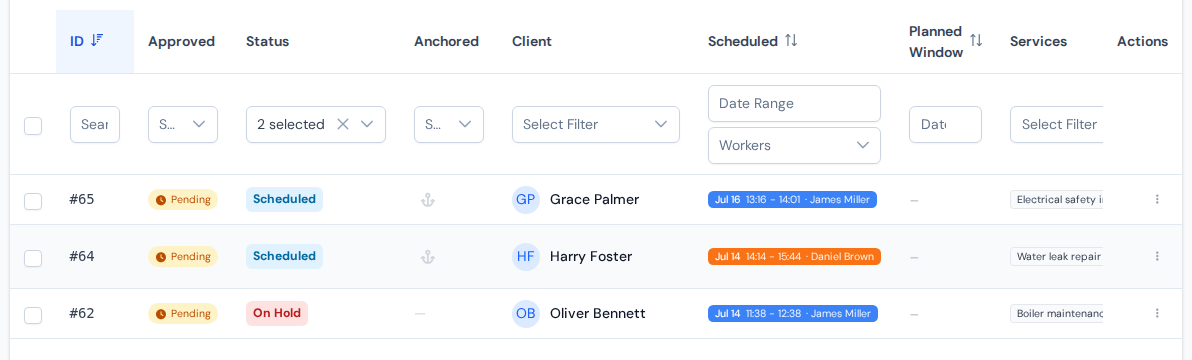
- Not Scheduled
- The work order exists, but no visit is booked yet. Every new work order starts here.
- Scheduled
- At least one upcoming visit has its place in the calendar and work has not started yet.
- In Progress
- The job is being worked on: a technician is on site right now, or some visits are done and more are booked.
- On Hold
- Nothing is booked ahead: the visits are in the past or work stopped partway. The job needs replanning, or a deliberate pause, for example while waiting for parts.
- Completed
- The work is done. Only the paperwork is left.
- Finished
- The work is done and the paperwork too: invoiced and closed out. One step after "Completed".
- Cancelled
- The job was called off.
How statuses change
Most of the time you do not have to think about statuses at all. ServisGo updates them from what happens in the field: a new work order starts as "Not Scheduled", becomes "Scheduled" when you book a visit, "In Progress" once a technician starts working, and "Completed" when a visit ends with everything on the plan done. If work stops with nothing booked ahead, it moves to "On Hold" so you know it needs replanning.
You can also set a status yourself. In the "Work Orders" list, click the status badge itself. It turns into a dropdown listing every status, and your pick is saved the moment you make it. The same dropdown also sits at the top of the "Scheduling" section when you edit a work order.
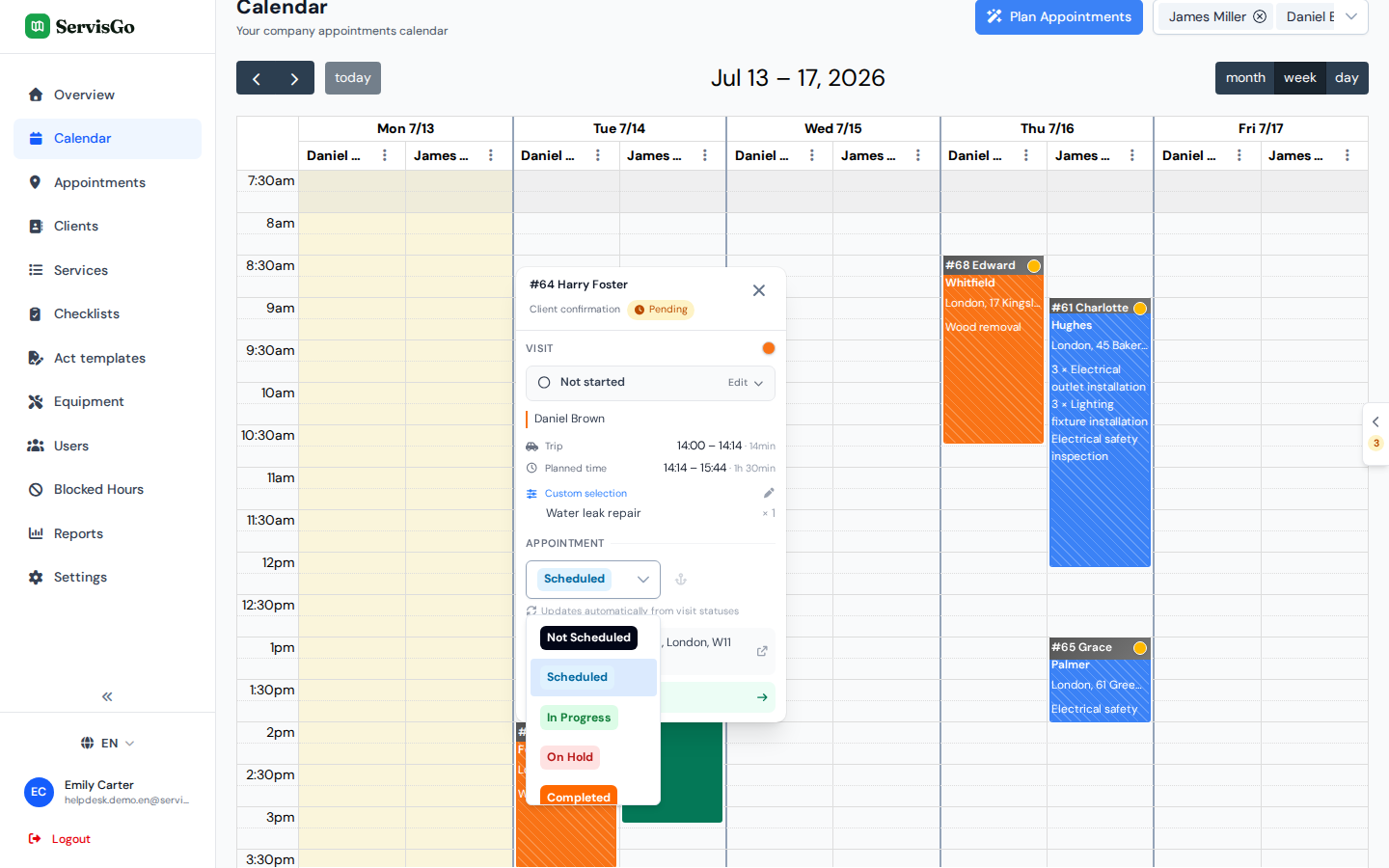
Every status change is recorded in the work order's history, both the ones ServisGo makes for you and the ones you set by hand, so you can always see what changed and when.
Final statuses
"Completed", "Finished" and "Cancelled" are final. Once a work order reaches one of them, ServisGo stops changing its status automatically.
When a work order reaches "Completed" or "Finished", its upcoming visits are removed from the calendar. The visits that already happened keep their own status: ServisGo no longer marks them finished for you, so the calendar stays an honest record of what was done. Once the job is "Finished" or "Cancelled", those visits also turn faded to show it is fully closed, while each keeps its own color. For the full rules on when a job completes and what happens to its visits, see when a job is complete.