A mobile app your technicians will actually use
The ServisGo technician app puts each worker's day in their pocket: today's visits in order, the address and route to the next one, the checklists to fill in, and the services to record as done.
No calls to the office and no paper. What happens in the field appears on your dashboard as it happens.
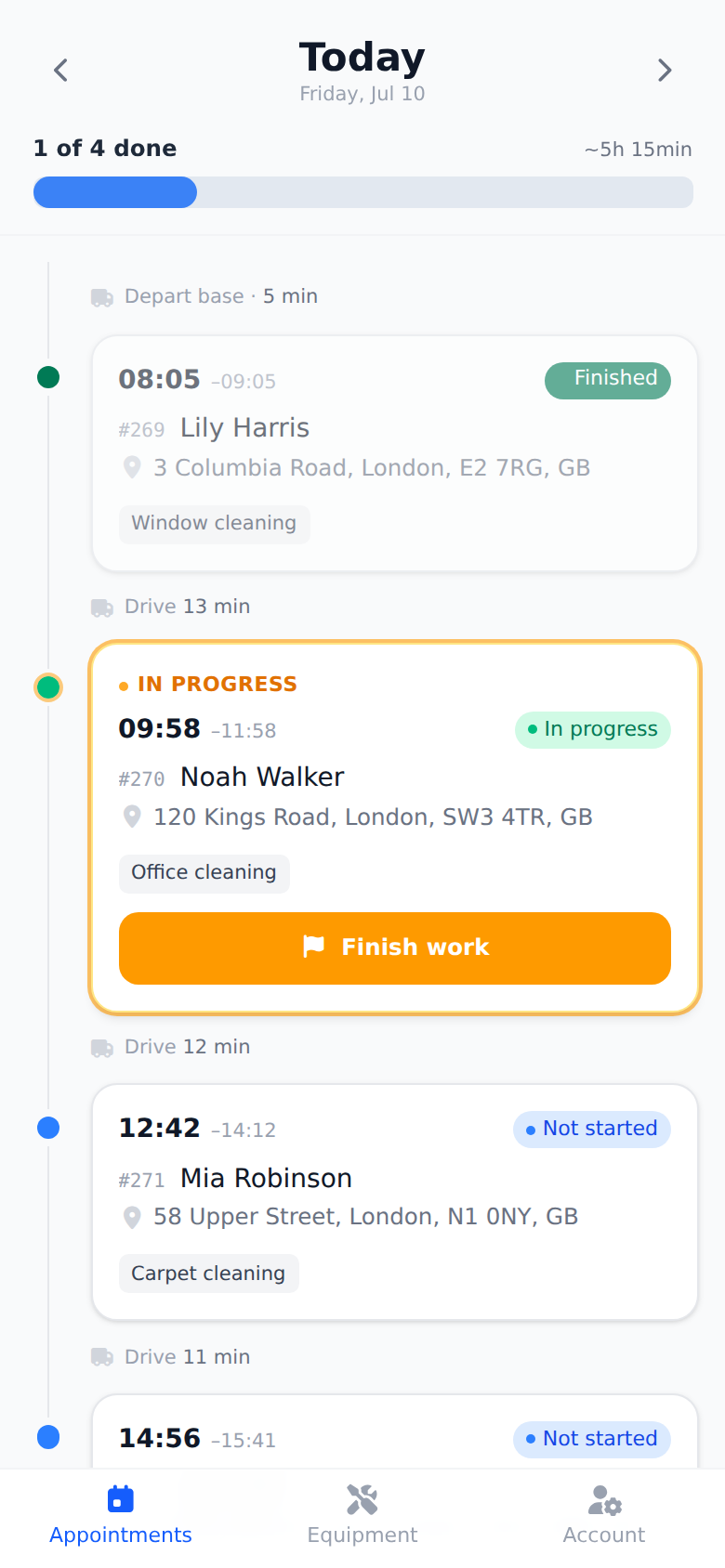
Their whole day, in order
Technicians open the app and see exactly what the dispatcher planned: each visit with its time, client, address and services, in route order. Change the plan at the office and their phone already knows.
- Visits in the order they should be driven
- One tap opens navigation to the next address
- Notes from the office travel with the job
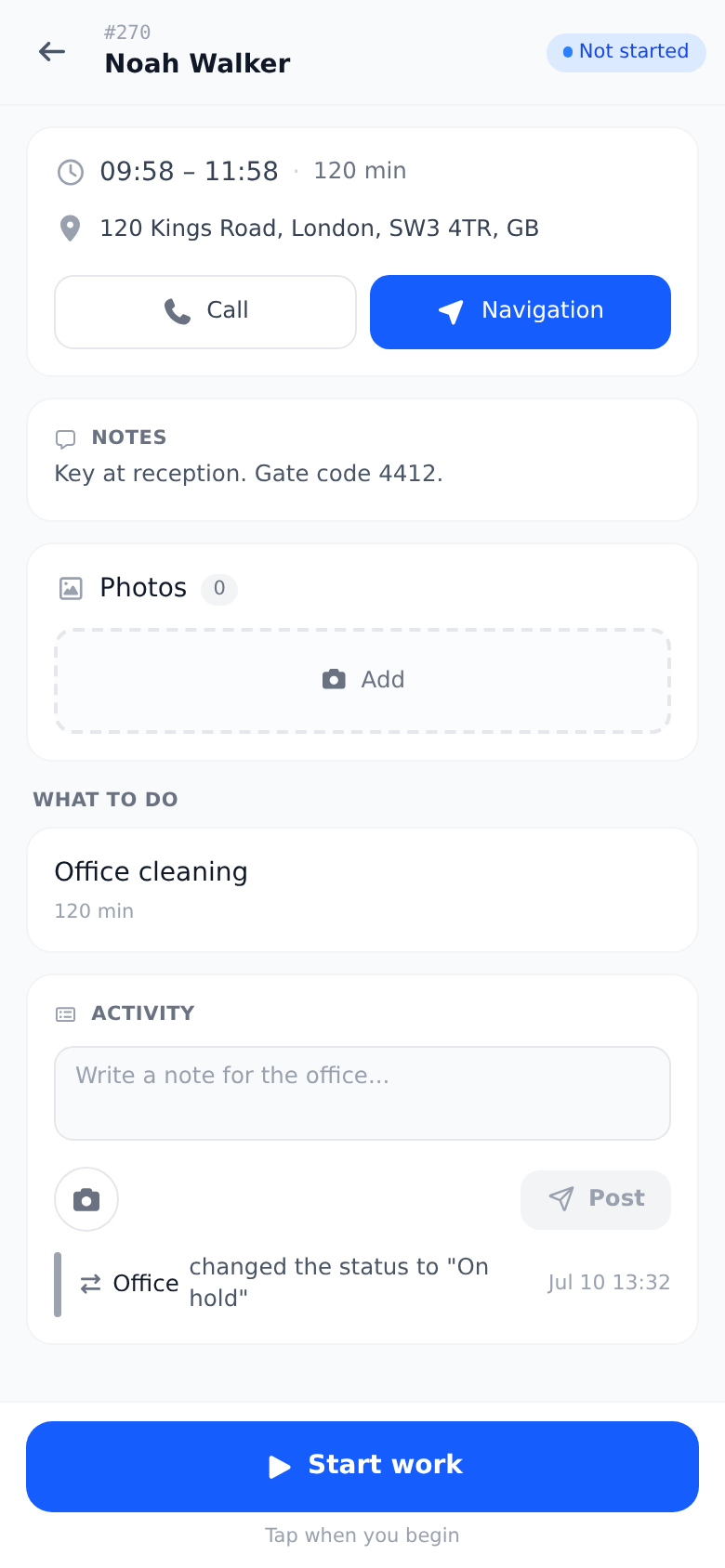
Work recorded at the door, not at the office
When a visit ends, the technician marks which services were performed, right there. The office sees what is done and what still remains, visit by visit, and the data is already in place for the service report. Nothing gets rewritten in the evening.
Try it free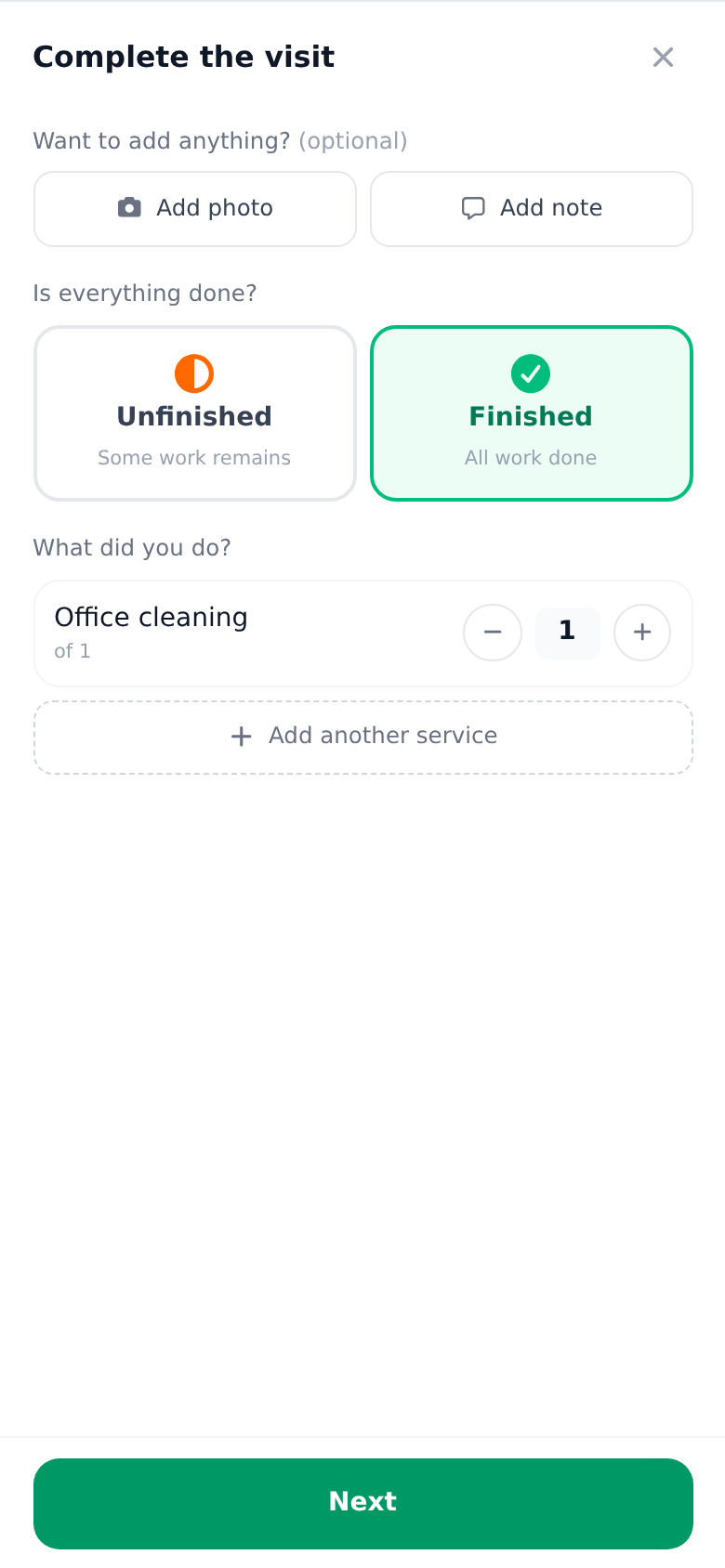
Checklists filled in the field
Every checklist attached to the job is right there in the app: readings, photos, yes/no checks. Answers land on the work order as they are saved, so the office can follow along without a single phone call.
Try it free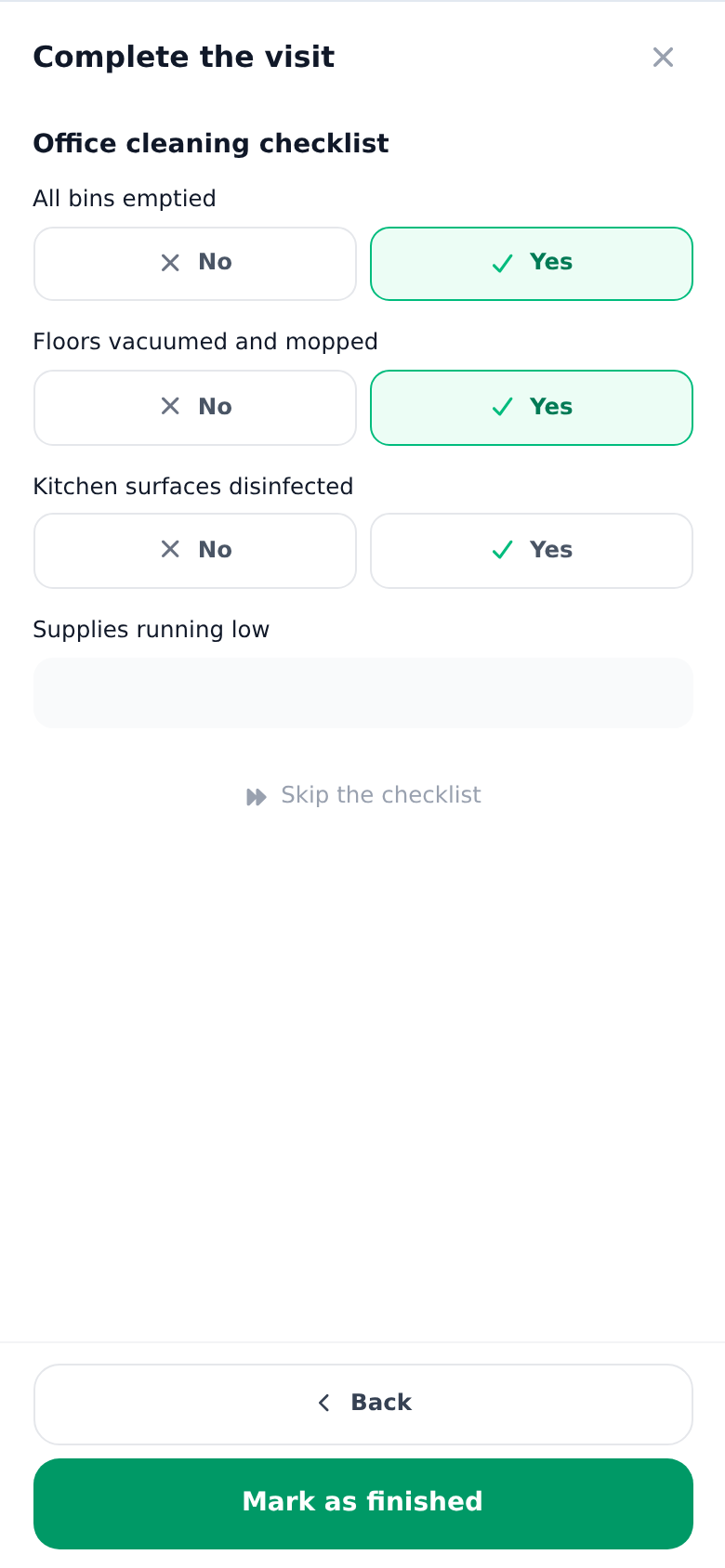
Statuses without phone calls
Started, finished, could not finish: the visit's status updates in your calendar the moment the technician sets it in the app. The calendar colors tell the story of the day at a glance, so "how is it going out there?" answers itself.
Try it free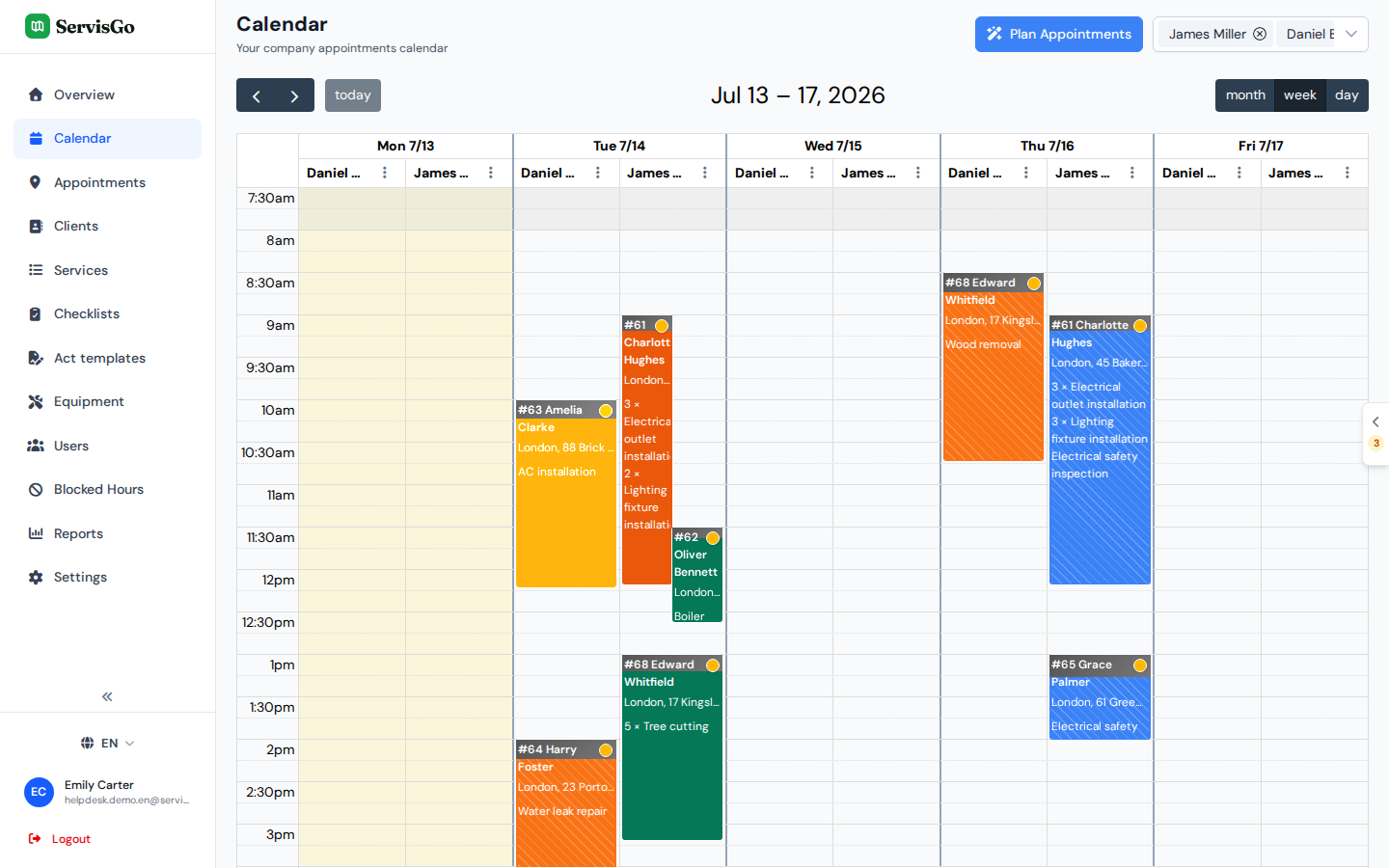
Frequently asked questions
What can technicians do in the app?
Does the app work on Android and iPhone?
Is the app included in the price?
Do technicians need training to use it?
The help center walks through every click with real screenshots.
See it with your own jobs
From registration to your first optimized route in under 15 minutes.
Start for free28-day free trial · No credit card required