Route optimization built into every booking
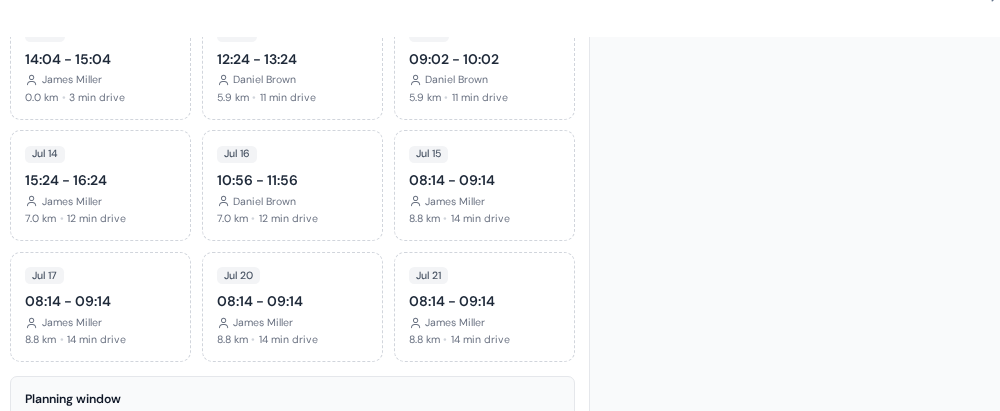
ServisGo optimizes routes at the moment it matters: when the job is booked. Every suggested time already accounts for where your technicians are before and after each gap in their day, using real road distances, not straight lines.
Less driving means more billable visits per day, without anyone staring at a map.
Every address lands on the map by itself
Save a client's address and ServisGo places it on the map automatically. The same happens with your technicians' own addresses. No coordinates to look up, no extra step, and route math works from day one.
Try it free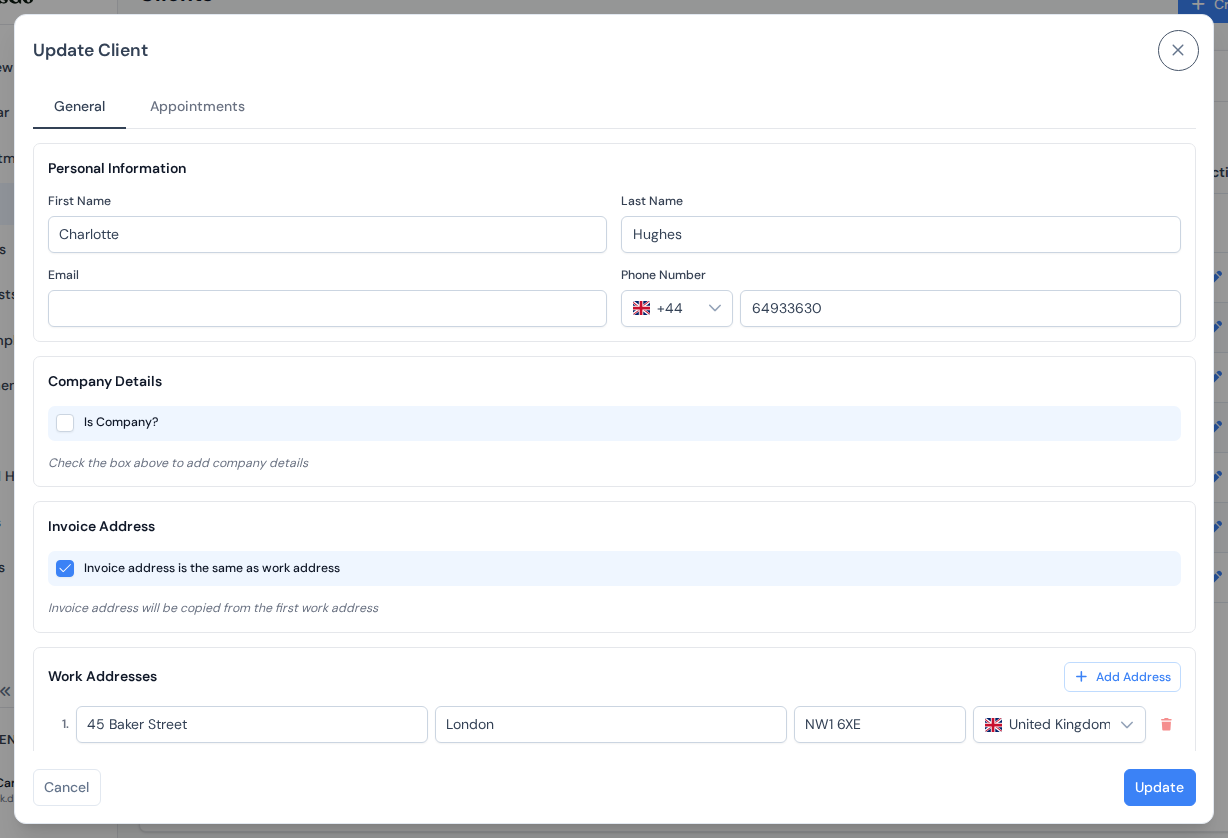
Times ranked by least driving
When you book through suggestions, ServisGo examines each technician's existing day: where they are before every open gap, and where they need to be after it. The times you see are the ones where the new job adds the least driving overall.
A suggestion is only offered when it truly fits:
- Only technicians assigned the job's services are considered
- The work has to fit in the gap, travel included
- The job's planning window and each person's working hours are respected
- Blocked time (days off, recurring mornings off) is never touched
Driving you can see, not guess
Every visit block in the calendar carries a dark strip at its top: the drive to get there. The longer the drive, the taller the strip, so a badly placed visit is visible at a glance before it costs anyone an hour on the road.
Try it free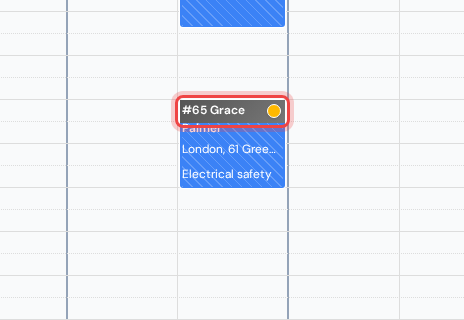
Move anything, the routes follow
Drag a visit to a new time or a different technician and the driving around it is recalculated automatically, for the visit you moved and for its neighbors. The exact minutes are always one click away on the visit card's "Trip" row.
Try it free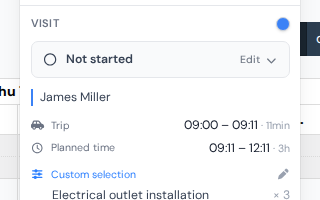
Frequently asked questions
Does ServisGo use real road distances?
How does ServisGo decide which times to suggest?
Do I need to enter coordinates for addresses?
What happens to routes when I move a visit?
The help center walks through every click with real screenshots.
See it with your own jobs
From registration to your first optimized route in under 15 minutes.
Start for free28-day free trial · No credit card required