Landscaping business software that cuts the driving
ServisGo is field service management software for landscaping and lawn care companies. It puts your jobs, crews and driving times on one calendar with a map, so planning a full week of mowing, pruning and maintenance takes minutes.
Split bigger work orders across visits, move whole days when the weather turns, and let recurring contracts and automatic planning fill the calendar for you.
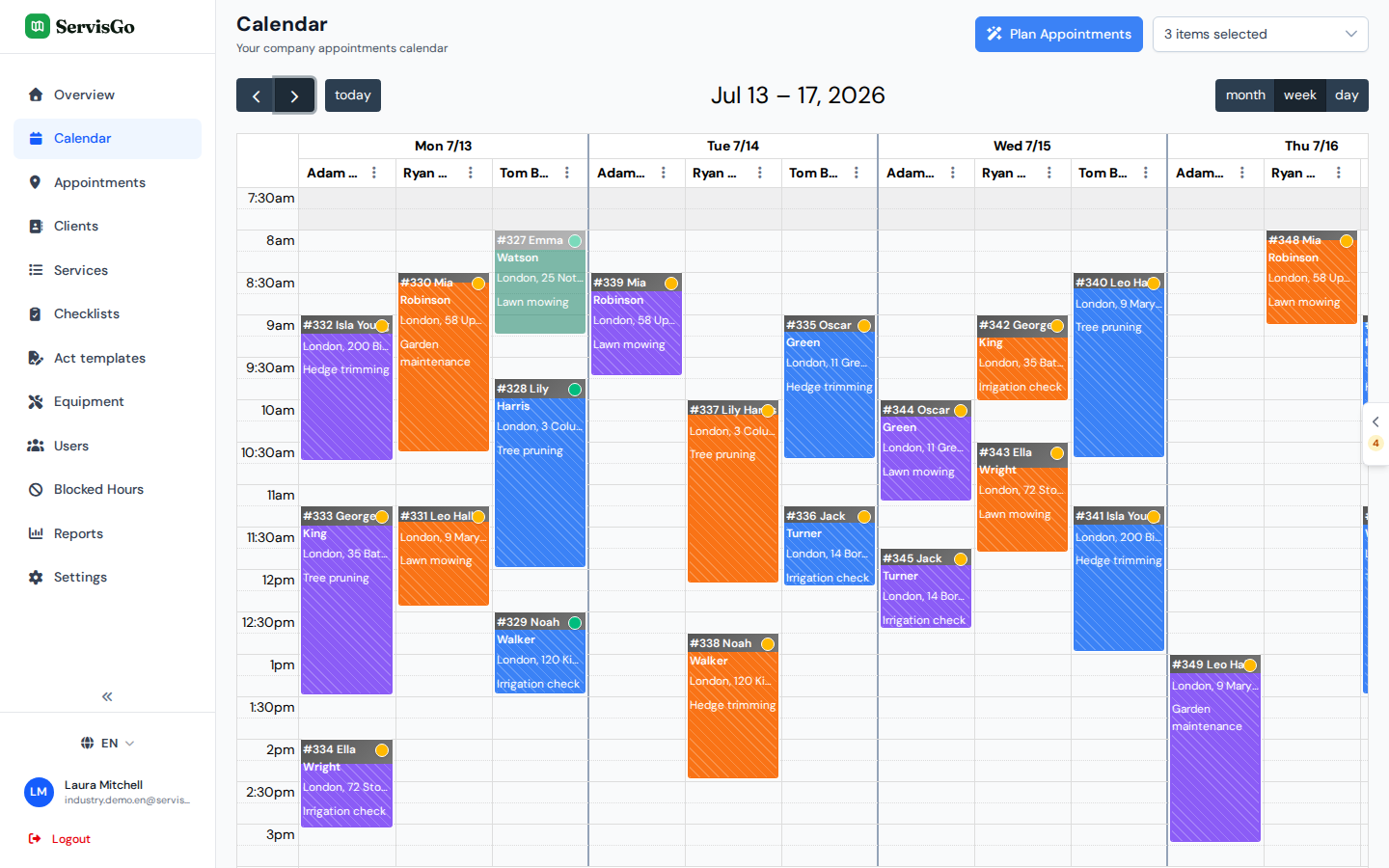
Plan the day around one service or tool
Open the job list next to the calendar and turn on the map: every waiting job shows up as a pin. Filter the list by service, equipment or client, and the map narrows down with it.
So when the mowers are on the trailer, filter for mowing, see which jobs sit close to each other, and drag them straight into the day. The same works for anything you want to batch: hedge trimming, tree pruning, spring cleanups.
Try it free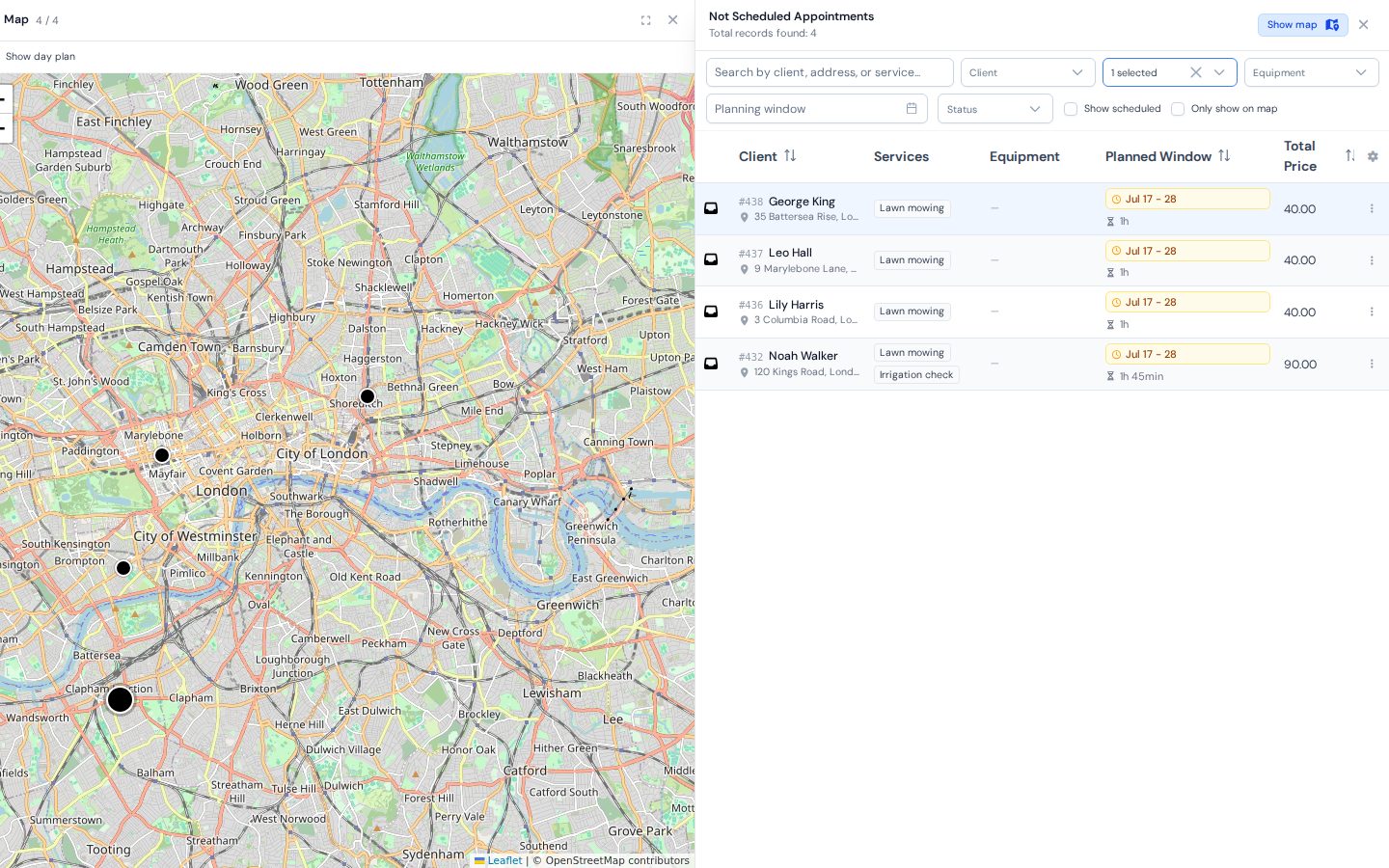
Assign work-order services to specific visits
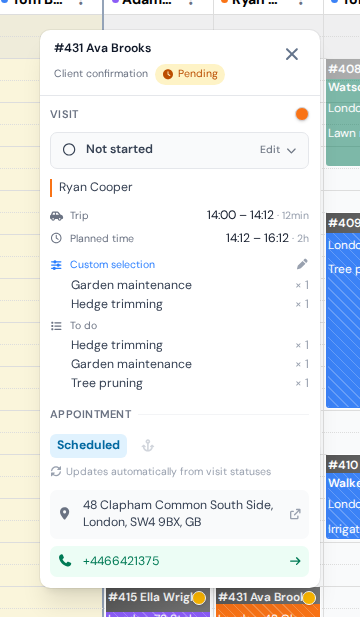
A bigger order rarely happens in one visit. Click a visit in the calendar and choose which services from the order it covers: mowing and edging today, tree pruning next week when the chipper is free.
When the crew finishes, they record what was actually done on that visit. Anything left stays on the order as outstanding and moves on to the next visit, so nothing gets forgotten between days.
- Every visit carries its own list of services to perform
- Performed work is recorded per visit, so you can see exactly what happened and when
- Unfinished services carry over to the next visit
Rescheduling is drag and drop
When rain washes out a day, drag each visit to another day, or onto another crew member if someone is off. They see the updated plan in their app right away, and each client's personal link shows the new time.
Lost the whole day, or finished a day early? Shift a crew's entire schedule forward or back by a working day: every job from that day on moves in one step, and driving times recalculate on their own.
Try it free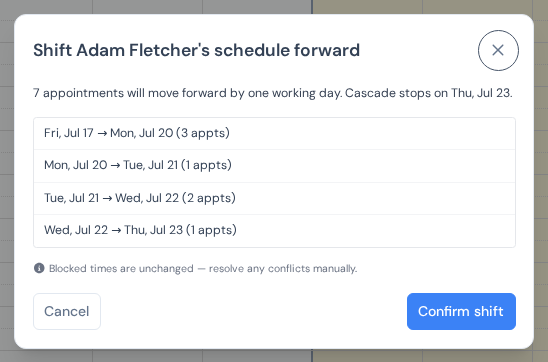
Set up recurring maintenance once
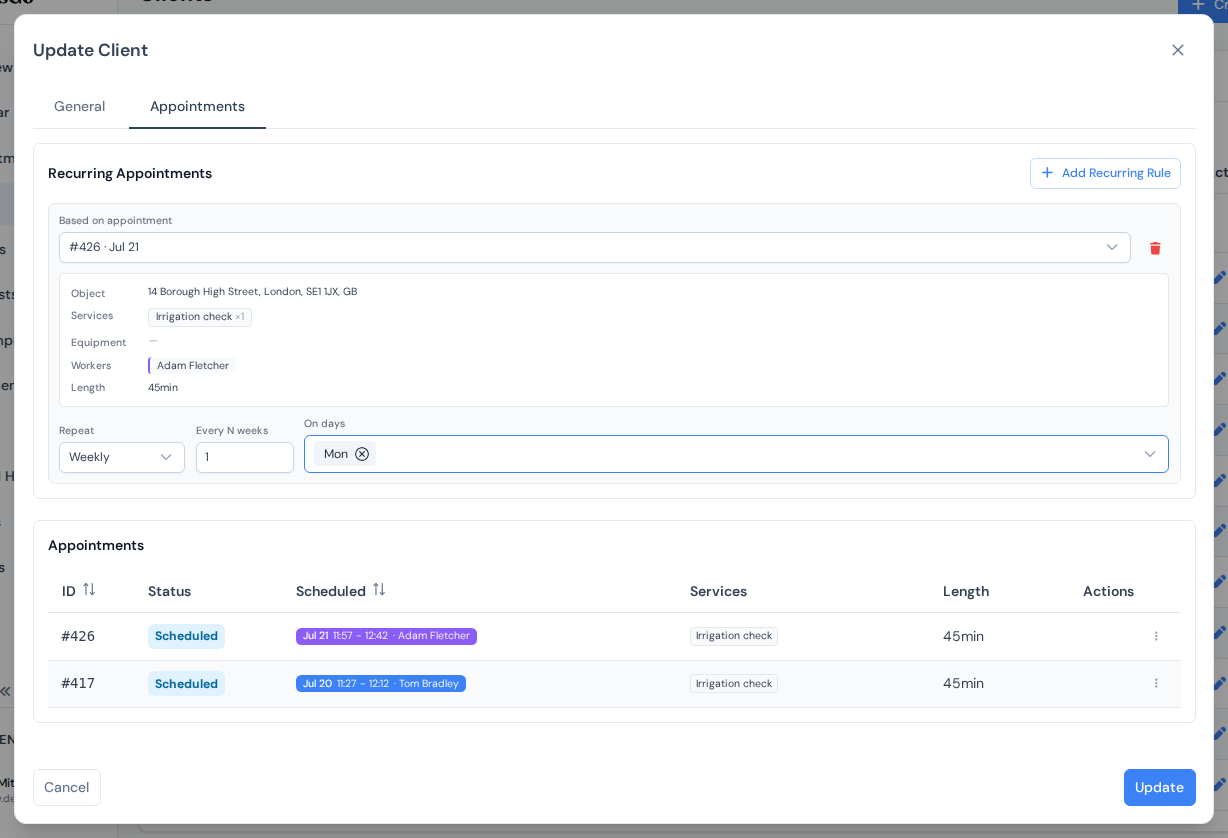
Weekly mowing, biweekly grounds contracts, monthly hedge rounds: add a recurring rule to the client, based on one of their existing jobs, and the next work order is generated with the same services, duration and crew.
- Weekly, every N weeks or monthly, on the weekdays you choose
- A day margin keeps monthly visits near their usual day
- Generated jobs land in the waiting list, ready to place
Automatic planning for the busy weeks
Spring cleanups and autumn leaf rounds drop dozens of similar jobs into the backlog at once. Instead of placing them one by one, click "Plan Work Orders" and ServisGo schedules the waiting jobs where they add the least driving, within each job's planning window.
Jobs you have placed by hand can be anchored, so automatic planning never moves them.
Try it free
Frequently asked questions
Can I see all jobs that need the same service or equipment?
Can one work order be spread over several visits?
What happens when weather cancels a day?
Does it handle seasonal contracts?
What does it cost for a landscaping crew?
The help center walks through every click with real screenshots.
See it with your own jobs
From registration to your first optimized route in under 15 minutes.
Start for free28-day free trial · No credit card required