Job scheduling software for field service teams
ServisGo's scheduling is a drag-and-drop calendar built for field service companies: every technician's day in its own column, every waiting job in a side panel, and the driving between visits calculated for you.
Book a visit in one motion, move it with one drag, and never do travel math in your head again.
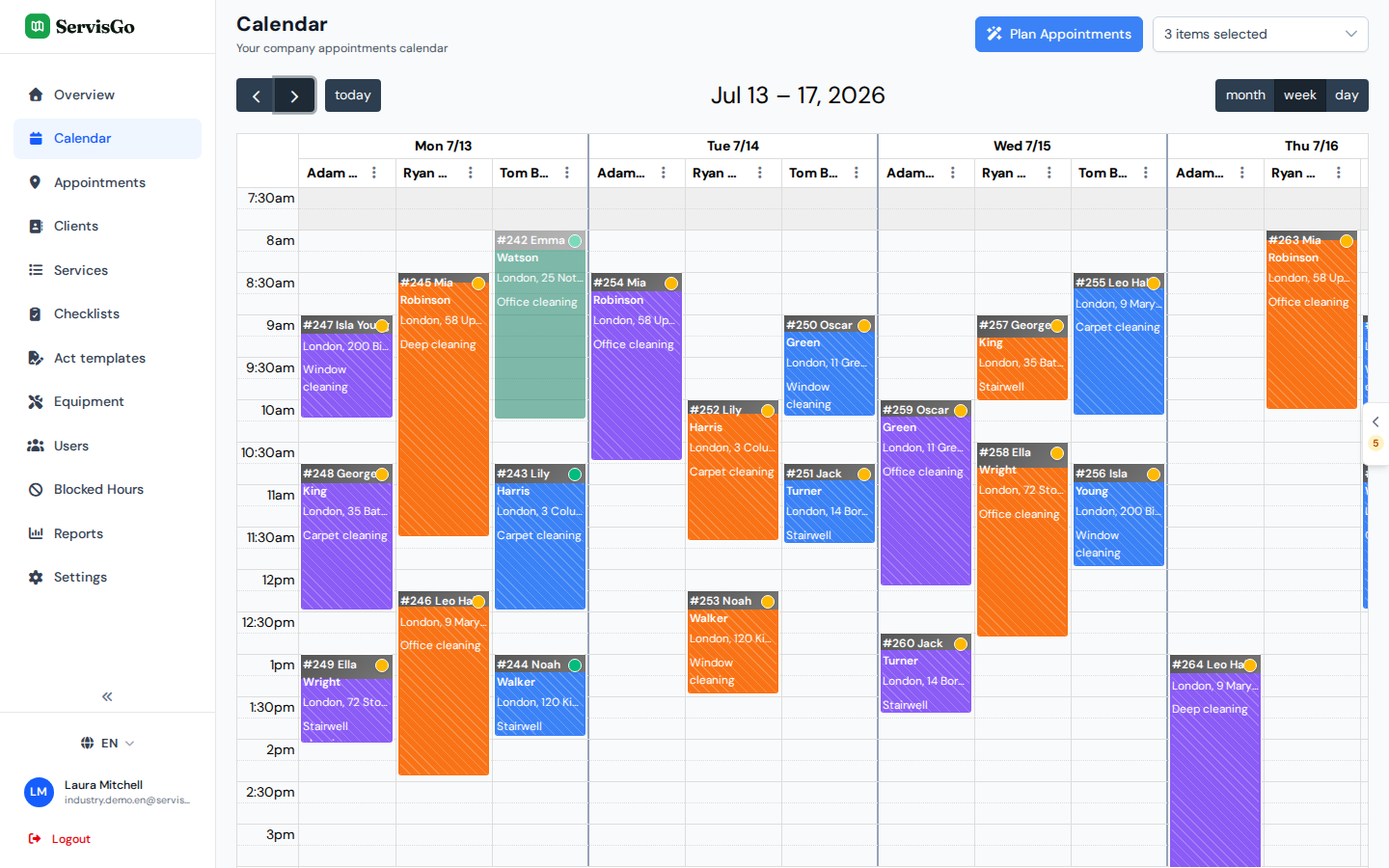
Book a visit in one drag
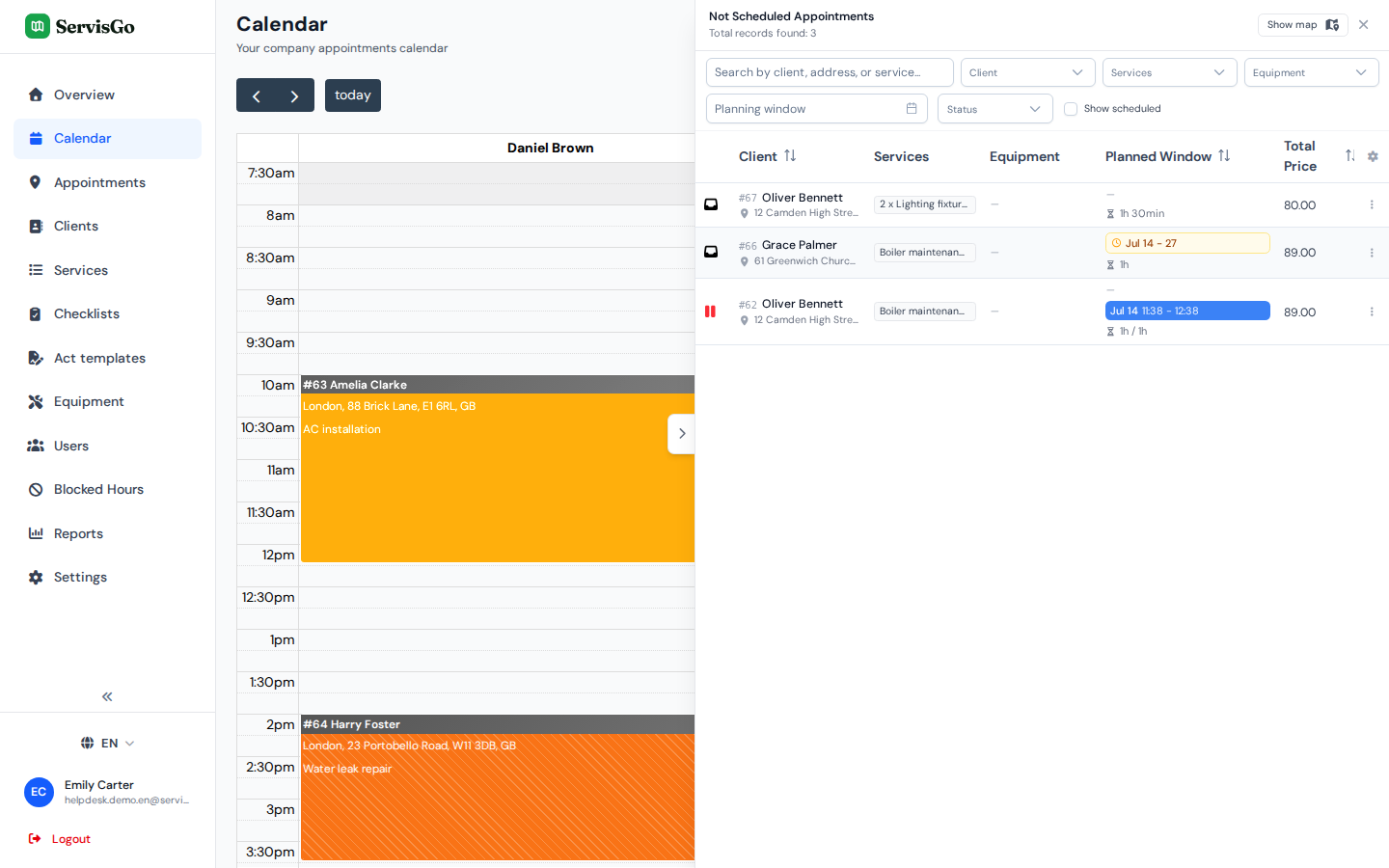
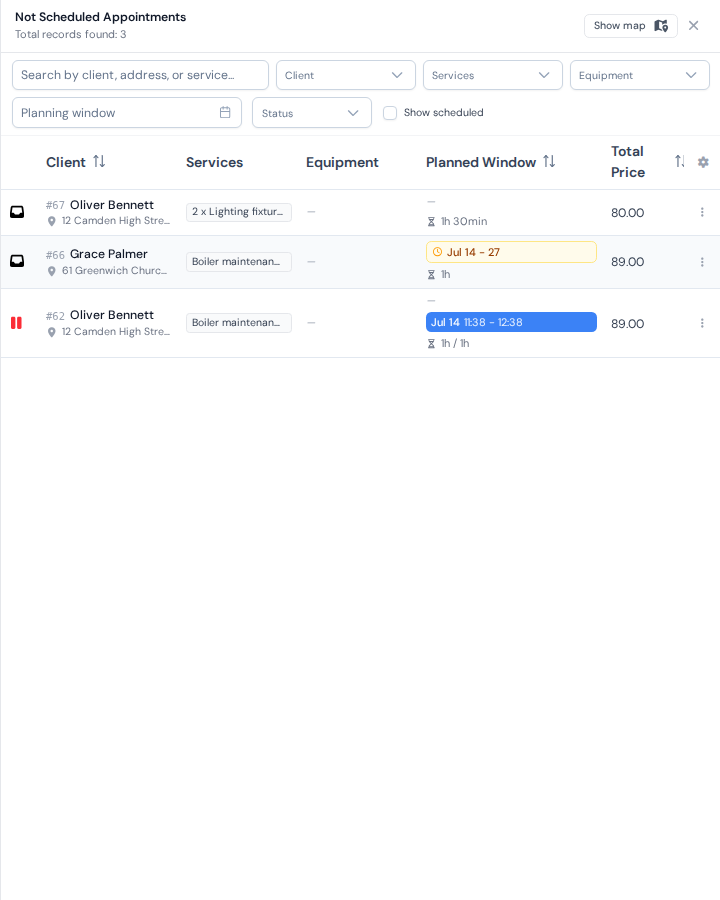
Every job that still needs a time waits in the "Not Scheduled Work Orders" panel at the edge of the calendar, with an orange counter showing how many are pending. Grab a row, drop it into a technician's column at the time you want, and the visit is booked.
- Each drop creates a visit, so a big job can span as many days as it needs
- Drag a booked visit to a new time or another technician to reschedule it
- Right-click a visit to unschedule it: the job returns to the panel, ready to be booked again
Or let ServisGo pick the time
Set a work order's status to "Scheduled" and a list of suggested time slots appears: date, time, technician, and how much driving each option adds. The suggestions are ranked so the least-driving choice sits on top. Click one, and the visit is booked.
Suggestions only include technicians who can do the job's services, respect each person's working hours and blocked time, and stay inside the job's planning window.
Try it free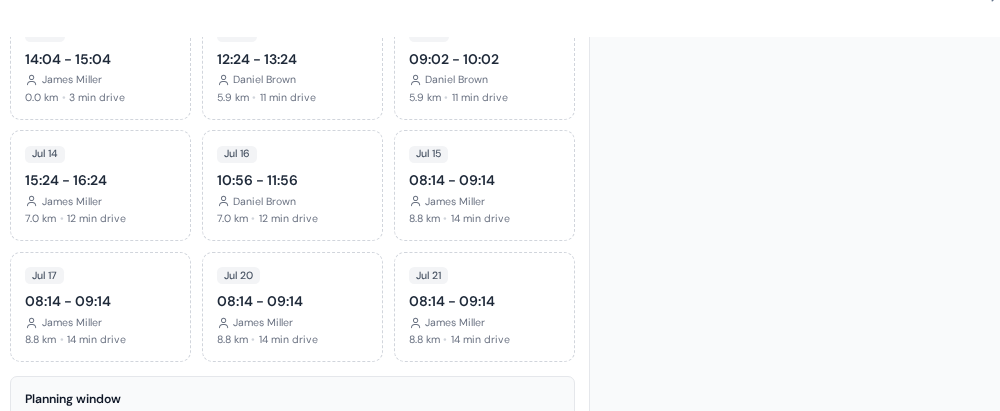
Driving time is planned for you
ServisGo adds travel time around every visit automatically, based on real road distances. In the calendar you see it as a dark strip on top of each visit block: the longer the drive, the taller the strip. Move a visit and the driving around it is recalculated on its own.
Try it free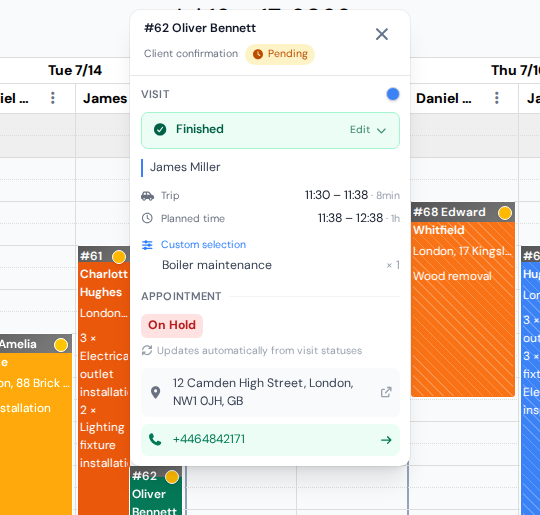
Built for days that change
A cancellation at 9:00 should not ruin the plan for 11:00. Because every job, technician and drive lives in one calendar, fixing the day is a matter of seconds: unschedule the cancelled visit, and drag or suggest something else into the gap.
- The panel always shows what could fill an empty slot
- The layout of your work order list is yours: pick and reorder columns per user
- Time off and non-bookable hours stay protected with blocked time rules
Frequently asked questions
How does drag-and-drop scheduling work in ServisGo?
Can ServisGo choose the best time for a job?
Does the calendar account for driving time?
Can one job be scheduled across several days?
What happens when a client cancels last minute?
The help center walks through every click with real screenshots.
See it with your own jobs
From registration to your first optimized route in under 15 minutes.
Start for free28-day free trial · No credit card required