Choose your own columns in the calendar's appointment list
Everyone plans differently: one dispatcher watches order values, another goes by how long a job has been waiting. The appointment list next to the calendar now adapts to you instead of the other way around.
Open "Calendar" and slide out the "Not Scheduled Appointments" panel. Click the small cog icon at the right end of the list's header row. A dialog named "Table columns" opens. Tick the columns you want, drag them into the order you like, and press "Update". Your layout is saved with your account, on every device you sign in from.
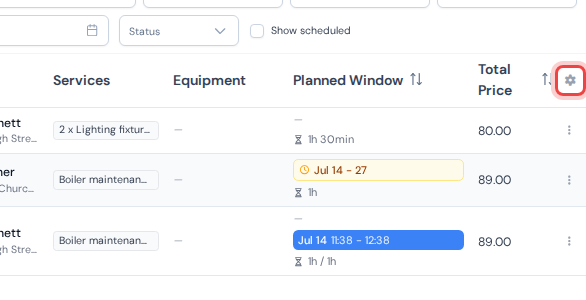
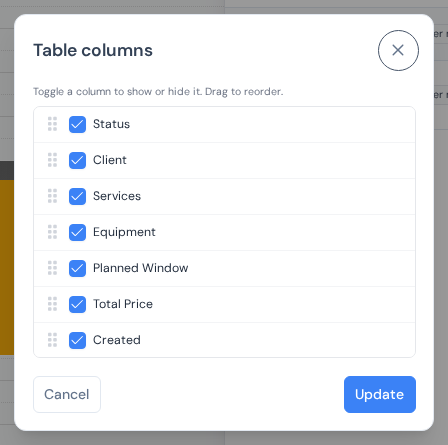
- New "Total Price" column: the planned services summed up, so the big jobs stand out at a glance.
- New "Created" column: the day the appointment was entered, so nothing sits waiting for too long.
- The services column now shows quantities: a job with the same service planned twice reads "2 x" in front of the name.
How the panel and booking work, step by step: booking visits into the calendar.